
Title says it all- I'm looking to rework my control panel / overlays so it doesn't look like this jumbled up mess.
Any ideas? Thank you!
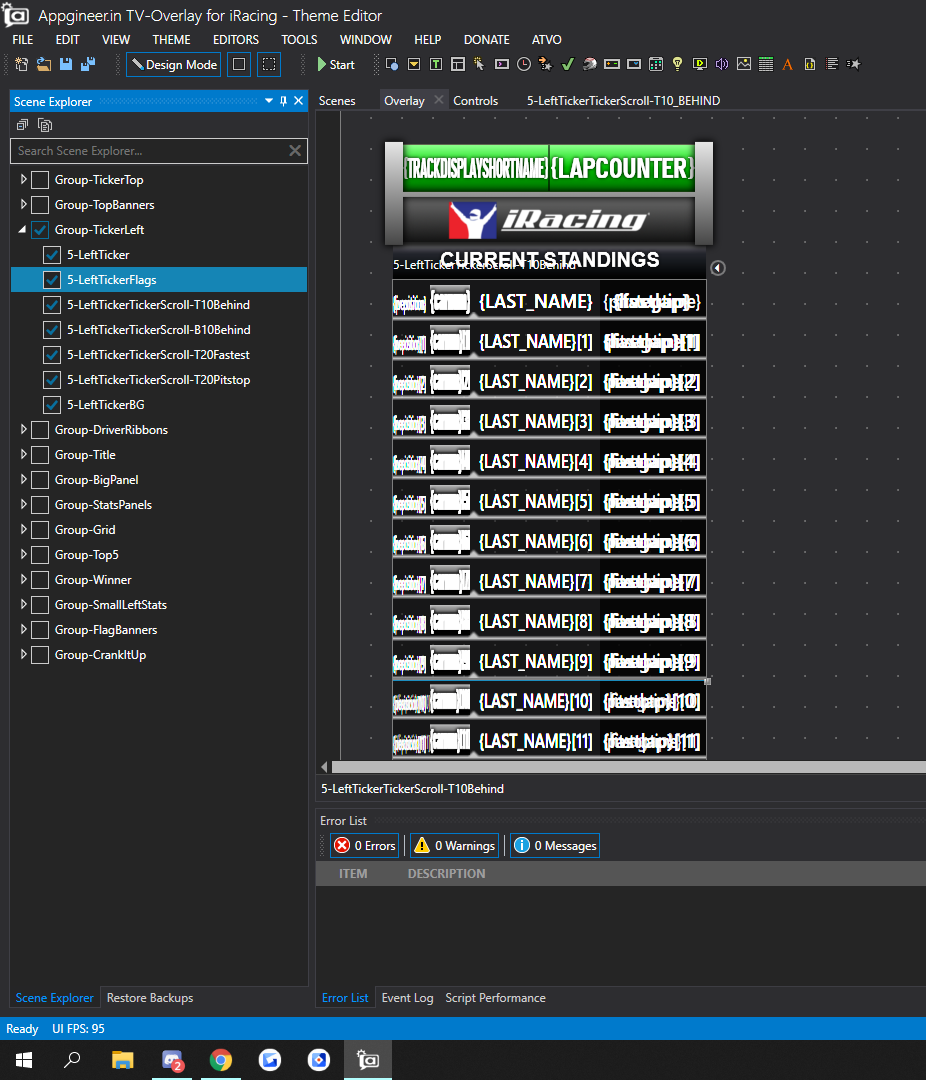
Title says it all- I'm looking to rework my control panel / overlays so it doesn't look like this jumbled up mess.
Any ideas? Thank you!
Yes, take a look at our ATVO Theme example: https://atvo.appgineering.com/Forum/Thread/316
Holy crap haha- I open up the binding and see that there's some scripts inside the labels
I'm not really good with scripting, nor with linking up these things. Any tutorial and help that I can reference? Or do I have to just look off of the example and hope I copy and paste well?
The code that handles these "timing modes" looks long and complicated but once you understand it it's not too bad. Basically it boils down to:
Beyond that it is mostly about keeping track which ticker is being updated - the same script supports changing H and V ticker both to avoid duplicating code for each ticker. There is also some kind to chang the "title" or header on top of the ticker to reflect what it is currently showing.
Finally, the dropdown used to switch the mode simply executes the script whenever the selected item changes. It passes either "H" or "V" as the value to indicate which ticker you're changing. The name / text of the items, again, must correspond to the possible TimingDisplayModes.
All in all it is not trivial, but I added this to show what kind of complicated logic you can achieve with some more advanced scripting.
New replies have moved to Discord.